
Company Name vs Brand vs Product vs Domain Explained
24 Oct, 2026
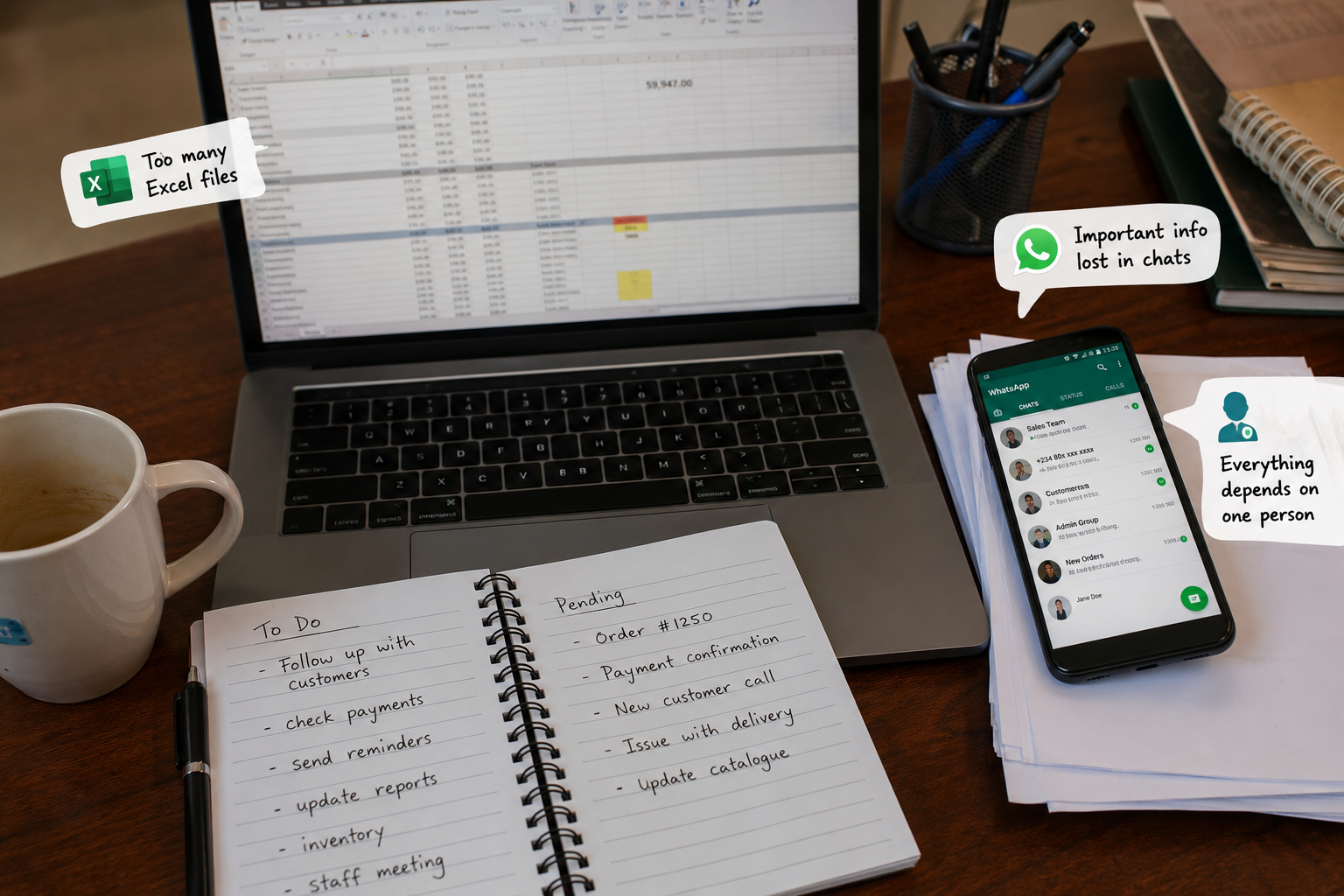
Excel is useful.
WhatsApp is useful.
Manual processes are sometimes unavoidable.
But there comes a point where the tools that helped you start running your business begin to slow it down.
What worked when you had 20 customers, two employees and a manageable number of transactions may become chaotic when the business grows.
Suddenly, information is scattered across spreadsheets and WhatsApp chats. Employees keep asking each other for updates. Customers wait for responses. Records get duplicated. And as the business gets bigger, running it starts feeling harder.
That is usually not just a growth problem.
It is a systems problem.
Here are seven signs your business may have outgrown Excel, WhatsApp and manual processes.
A customer makes a payment.
The receipt is sent on WhatsApp.
Someone updates an Excel sheet.
Another employee has different information.
Then the business owner asks for the customer's current status.
Now everyone starts searching.
“Check the group.”
“I think John handled it.”
“Which spreadsheet has the latest update?”
When employees spend too much time looking for information, your business has a problem.
As a business grows, important information should not depend on who remembers what or where something was sent.
Customer records, payments, orders, projects and other important activities should be organized in a place where the right people can easily access the right information.
Your business needs a single source of truth.
You probably know these files:
Sales Report.xlsx
Sales Report New.xlsx
Sales Report Final Final.xlsx
Sales Report Final Final Updated.xlsx
At some point, nobody knows which one contains the correct information.
One employee updates a file.
Another works on an older version.
Someone forgets to save their changes.
Before long, different people are making decisions using different numbers.
That becomes dangerous when you are trying to answer important questions such as:
How much did we actually sell?
Which customers still owe us?
What is our current inventory?
How much money came in this month?
If getting an accurate answer requires comparing several spreadsheets, your business may have outgrown the spreadsheet workflow.
Growing businesses need centralized, up-to-date information, not multiple copies of the same data moving between employees.
WhatsApp is excellent for communication.
But it was not designed to be your complete:
Customer database
Order management system
Payment tracking system
CRM
Task manager
Inventory system
Customer support platform
Yet many businesses are trying to run all these operations inside conversations.
An order is placed in one chat.
A complaint comes through another.
A payment receipt is sent to a group.
An employee shares an important update somewhere between 200 other messages.
Two weeks later, someone needs to find that information.
The problem is simple:
A conversation is not the same thing as a business record.
Messages can be missed, buried or forgotten.
Your team can continue using WhatsApp to communicate. But critical business information should not depend on scrolling through chat history to discover what happened.
There is always that person.
They know where every important file is.
They understand the complicated spreadsheet.
They know which customers have special arrangements.
They know how orders are processed.
And whenever something goes wrong, everyone calls them.
The problem becomes obvious when that person is unavailable.
Suddenly, work slows down because the knowledge of how the business operates exists inside one person's head.
A business should not become helpless because one employee is on leave, sick or decides to resign.
Important processes should be documented and supported by systems.
The goal is not to make employees less important.
The goal is to ensure that the business can continue operating without depending entirely on individual memory.
Every day, someone may be:
Copying customer information from WhatsApp into Excel.
Confirming payments manually.
Sending the same messages repeatedly.
Updating records.
Calculating totals.
Preparing reports.
Sending payment reminders.
Updating order statuses.
Then they wake up tomorrow and do the same thing again.
Manual work is not always a problem.
But repetitive manual work is often a sign that your business is wasting valuable time.
The more repetitive tasks your employees perform, the greater the chances of delays and human errors.
A properly designed system can automate many routine activities, including notifications, status updates, reminders, reporting and workflow triggers.
Automation is not about removing people.
It is about allowing people to spend less time doing repetitive administrative work and more time doing work that actually requires human thinking.
As the business owner or manager, imagine needing to call three different people just to answer a simple question:
“How are we doing this week?”
You should be able to quickly understand things like:
Sales performance.
Outstanding payments.
Pending orders.
Inventory levels.
New customers.
Overdue tasks.
Operational bottlenecks.
If every answer begins with:
“Let me ask the person handling it.”
Then you have limited visibility into your own operations.
As your business grows, you cannot personally follow every transaction, customer or employee activity.
You need systems that provide useful visibility.
That does not necessarily mean a complicated dashboard filled with hundreds of charts.
It simply means you should be able to see what is happening in your business without conducting an investigation every time you need information.
This is perhaps the biggest sign of all.
More customers should mean more opportunities.
But instead, your growth is creating:
More messages.
More spreadsheets.
More employees.
More mistakes.
More things to remember.
More confusion.
The business is growing, but the processes running it are still designed for a much smaller operation.
That is the difference between growing and scaling.
Growing means more customers create more work.
Scaling means your systems can handle more customers without creating the same level of additional complexity.
You cannot solve every operational problem by creating another WhatsApp group, hiring another administrator or opening another spreadsheet.
Eventually, the way your business operates needs to evolve.
No.
And this is important.
Not every business needs to immediately build a custom application.
Sometimes, better use of existing tools is enough. A combination of accounting software, CRM tools, project management platforms or industry-specific software may solve the problem.
But there comes a point where your business has unique processes, disconnected tools or operational challenges that existing solutions cannot handle properly.
That is when custom systems become worth considering.
The right question is not:
“Do we need software?”
The better question is:
“Where is our current way of working costing us time, money, customers or opportunities?”
That is where the conversation should begin.
Sometimes employees are blamed for being slow or inefficient when the real problem is the system they are forced to work with.
They are searching through chats.
Copying information between tools.
Correcting avoidable mistakes.
Repeating the same tasks.
Calling other employees for information that should already be available.
Adding more people to a broken process does not always solve the problem.
Sometimes, the smarter move is to improve the process itself.
Because a good business system should:
Keep important information organized.
Reduce unnecessary manual work.
Improve visibility.
Create accountability.
Reduce avoidable errors.
Make growth easier to manage.
Excel is a great tool.
WhatsApp is a great communication platform.
Manual processes can work.
But they should not become permanent substitutes for proper business systems when your operations have outgrown them.
If your team is constantly searching for information, working with conflicting spreadsheets, digging through WhatsApp chats, depending on one employee, repeating the same manual tasks and struggling to keep up with growth...
You probably do not need another Excel file.
You probably do not need another WhatsApp group.
You may simply have outgrown the way your business currently operates.
And recognizing that could be the first step toward building a business that grows without becoming increasingly difficult to run.
At Dkingstech, we help businesses examine inefficient workflows and identify opportunities to centralize operations, reduce repetitive work and build better digital systems.
The goal is not to build software just because software sounds impressive.
The goal is to build systems that make your business easier to run.
Read More
Getting a customer to buy from your business for the first time is important.
But what happens after that?
Do you simply wait for the customer to come back when they need you again? Do you send a message after the purchase? Do you keep their information somewhere? Do you know when it makes sense to contact them again?
Or does the customer simply disappear into your WhatsApp chats, phone contacts, notebook, or spreadsheet?
This is where customer follow-up becomes important.
Many businesses spend a lot of time trying to find new customers while doing very little with the customers they have already earned. Yet a previous customer already knows your business, has already experienced your product or service, and has already trusted you enough to buy.
The question is not only:
“How do I get more customers?”
It is also:
“What am I doing with the customers I already have?”
Customer follow-up is simply the process of staying in touch with a customer after an interaction, purchase, enquiry, appointment, or completed service.
It could be as simple as:
Checking whether a customer is satisfied with a purchase
Asking whether they need anything else
Reminding them when they may need your product or service again
Informing previous customers about something relevant
Following up on an enquiry that did not result in a sale
Asking an existing customer for a review or referral
Reconnecting with customers who have not bought from you in a while
It does not always have to be complicated.
The important thing is that the relationship does not end simply because the payment has been made.
Imagine two businesses.
Business A gets a customer, completes the sale and never contacts that customer again.
Business B gets the same type of customer, keeps a simple record of the purchase, checks in when appropriate and contacts the customer again when there is something genuinely useful to offer.
Business B has created another opportunity to do business with someone who already knows them.
That is the basic idea behind customer retention.
Customer retention is not about constantly sending customers promotions or disturbing them with messages. It is about giving people a good reason to continue doing business with you.
A recent search landscape around small-business growth shows the same recurring advice: keep useful customer records, follow up at an appropriate time, and make it easy for previous customers to return.
There is no single follow-up process that works for every business, but a simple starting point looks like this.
You cannot effectively follow up with a customer you cannot identify or reach.
At a minimum, you may want to keep:
Customer name
Phone number or email
What they purchased
Purchase date
Relevant order information
When a follow-up may be appropriate
For a small business, this could start with a simple spreadsheet.
The important thing is not whether you use a spreadsheet, notebook, or software.
The important thing is that the information is organized and useful.
A follow-up does not always need to be a sales message.
Sometimes, the best thing you can do is simply ask:
“How is the product working for you?”
Or:
“Just checking in to make sure everything went well with your order.”
This gives the customer an opportunity to tell you if there is a problem.
It also keeps your business in their mind.
The right follow-up time depends on what you sell.
If you sell a product that customers may replace every month, following up after several months may be too late.
If you provide a service that customers may need once or twice a year, messaging them every week would make little sense.
The goal is not to contact customers as often as possible.
The goal is to contact them when there is a good reason to do so.
A customer may have had a good experience and still not return simply because they forgot about your business.
You can give them a useful reason to reconnect.
For example:
A product they previously bought is available again
A related product has been launched
It is time to reorder
You are offering something relevant to their previous purchase
They may need another service
You have useful information that applies to them
The follow-up should make sense from the customer's point of view.
This is where many businesses get it wrong.
Following up does not mean sending:
“Hello dear, buy from us today!”
every few days.
If every message is asking for money, customers will eventually ignore your messages.
Instead, make your communication useful and relevant.
For example, instead of sending every customer the same promotion, you could group customers according to what they bought and contact them when you have something relevant to them.
A customer who bought a particular product six months ago may be interested in a related product.
A customer who completed a service may need another service later.
A customer who made an enquiry but never purchased may simply need a reminder.
Good follow-up is about timing, relevance and consistency.
At the beginning of a business, manually following up may be manageable.
You might remember your customers.
You might have their numbers saved in your phone.
You might keep a spreadsheet.
But as the number of customers grows, things become harder.
You may start asking:
Who bought from us last month?
Who needs a follow-up today?
Who asked for a quotation but never responded?
Which customers have not bought from us in a while?
Who should receive this new product announcement?
Did someone already contact this customer?
When should I contact this customer again?
Eventually, the problem is no longer getting customer information.
The problem is remembering what to do with it.
Yes.
A customer follow-up system can help a business organize customer information and remind the team when action is needed.
For example:
Customer makes a purchase
↓
Customer information is saved
↓
Purchase is recorded
↓
System sets a follow-up date
↓
Business receives a reminder
↓
Follow-up message is sent
↓
Customer response is recorded
The system does not have to replace the person.
It simply makes it harder for important follow-ups to be forgotten.
This is particularly useful for businesses that currently depend heavily on WhatsApp chats, spreadsheets, paper records, or someone's memory.
A simple customer management system could help a business:
Store customer information
Record purchases
Track enquiries
Record previous conversations
Set follow-up reminders
Track pending follow-ups
Group customers
Send or prepare follow-up messages
Track customer responses
Identify customers who have not returned
Keep sales and customer information together
The exact features should depend on the business.
A furniture company does not necessarily need the same system as a school, logistics company, retailer, or professional service business.
The goal is not to buy complicated software.
The goal is to solve the problem that is costing the business opportunities.
If you are a small business owner and you currently have no customer follow-up process, don't start by trying to build a huge system.
Start simple.
Know who your customers are.
Know what they bought.
Know when you should contact them.
Know what you should say.
Then make sure someone actually does it.
You could start with a simple spreadsheet and reminders.
As the business grows, you can move to a proper customer management system that handles more of the process automatically.
The technology should follow the business process — not the other way around.
The first sale proves that someone was willing to trust your business.
But the relationship should not necessarily end there.
A business that consistently gets new customers but loses contact with previous customers may spend all its energy starting from zero.
A better approach is to build a process that handles both:
Get new customers.
Take care of the customers you already have.
Make it easy for them to come back.
That is where customer follow-up, customer retention and simple business automation can make a real difference.
Your next sale may not require finding a completely new customer.
It may already be sitting in the list of people who have bought from you before.
The next time you make a sale, don't only ask:
“How much did we make?”
Also ask:
“What happens next?”
If you don't have an answer, that may be one of the first business processes worth improving.
Read More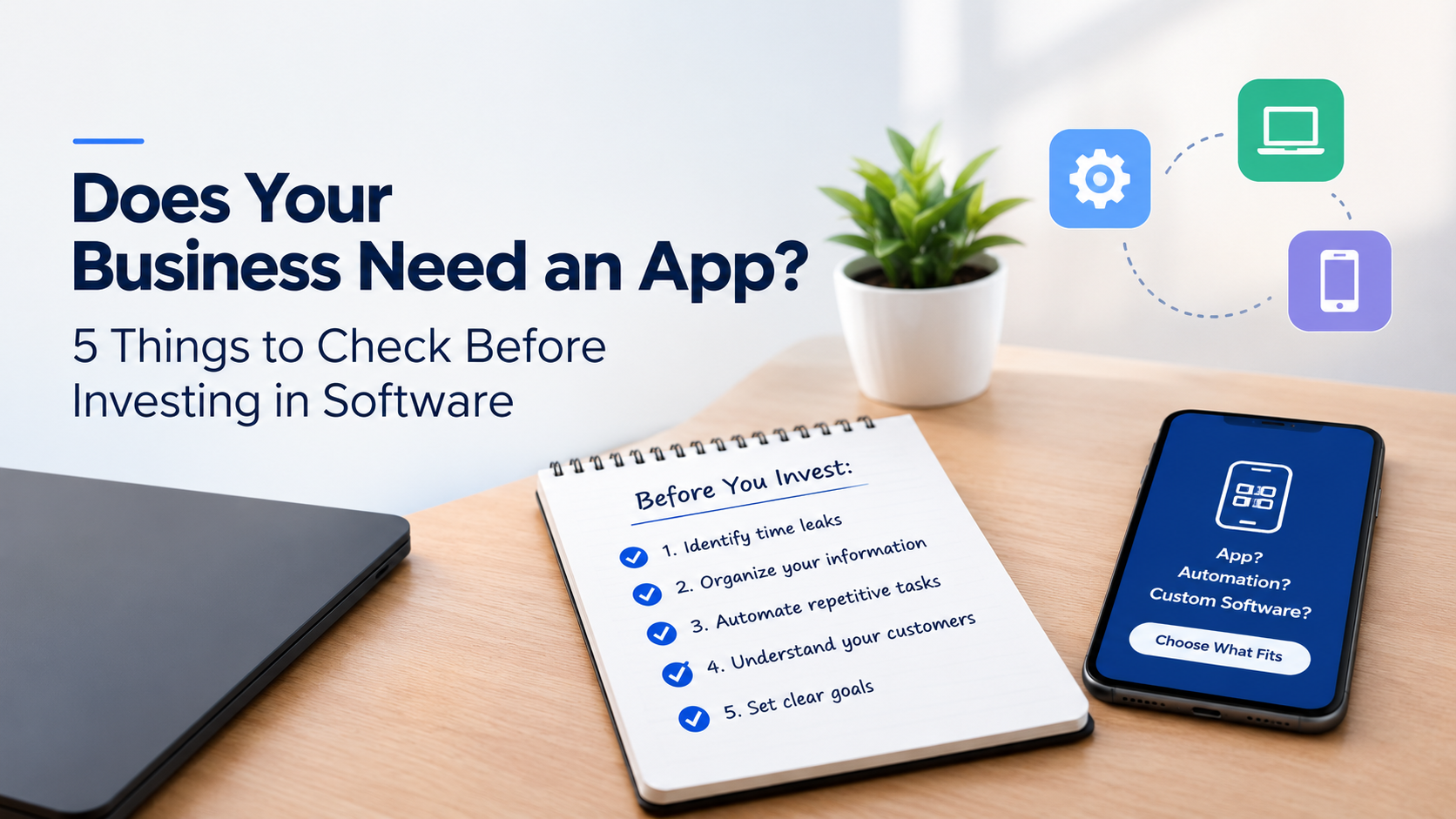
Many business owners believe that building a mobile app or investing in custom software is the next step toward business growth. While technology can improve efficiency, increase sales, and simplify operations, not every business needs a new app to solve its problems.
You may be dealing with scattered customer records, repetitive administrative tasks, missed sales follow-ups, or slow reporting. In many cases, the real solution is better workflow automation or business management software—not necessarily a mobile app.
Before investing in business software development, here are five things to consider.
Are employees spending hours preparing reports, updating spreadsheets, or entering the same information repeatedly?
These inefficiencies can slow down operations and increase costs.
Review your daily business processes to identify unnecessary steps, delays, and repetitive tasks. Once you understand the problem, you can determine whether automation, a business dashboard, or custom software would improve productivity.
Storing business information across notebooks, spreadsheets, WhatsApp conversations, and employees' phones makes it difficult to track important details.
You may struggle to monitor outstanding payments, customer inquiries, inventory levels, or monthly revenue.
A centralized business management system can organize this information and make reporting easier. Depending on your needs, you might require customer relationship management (CRM) software, inventory management tools, accounting software, or a custom solution.
Business process automation helps reduce manual work, minimize errors, and free employees to focus on more important responsibilities.
Common tasks that can be automated include:
Generating invoices and receipts.
Sending payment and appointment reminders.
Tracking customer inquiries and sales leads.
Updating records after payments.
Preparing business reports.
Following up with potential customers.
Start with tasks that are repetitive, time-consuming, and easy to standardize.
Your technology investment should improve the customer experience.
Do customers struggle to place orders, book appointments, make payments, or track deliveries? Do they frequently contact your staff for information they should be able to access easily?
Solutions such as customer portals, mobile-friendly websites, online booking systems, and automated notifications can address these problems.
A mobile app may be worthwhile if customers need its features regularly. Otherwise, a website or simpler automated system may be more practical.
Before hiring a software developer, establish clear business goals.
For example, you may want to:
Reduce administrative workload.
Improve sales conversion rates.
Minimize payment and inventory errors.
Generate reports faster.
Improve customer service.
Process more orders without increasing staff workload.
Instead of saying, "We need software to manage our business," define a measurable objective, such as reducing monthly report preparation from two days to a few hours.
Clear goals help you choose the right solution and measure your return on investment.
The right solution depends on your specific business challenges.
| Business challenge | Possible solution |
|---|---|
| Missed sales opportunities | CRM software and automated follow-ups |
| Inaccurate stock records | Inventory management software |
| Repetitive administrative work | Workflow automation |
| Poor performance tracking | Business dashboard |
| Customers need access to their orders | Customer portal |
| Disconnected business tools | API integration |
| Unique business requirements | Custom software development |
| Customers need frequent app-specific features | Mobile application |
Sometimes, connecting existing tools or improving current processes is more cost-effective than building a completely new application.
Imagine a business that receives customer inquiries through WhatsApp, prepares quotations manually, tracks payments in spreadsheets, and compiles sales reports from different sources.
The owner may think a mobile app is necessary.
However, the business might benefit more from a system that centralizes customer inquiries, assigns leads to employees, tracks quotations and payments, sends follow-up reminders, and generates sales reports automatically.
This approach addresses the actual business problems without the unnecessary cost of building a customer-facing app.
Custom software development is worth considering when existing solutions cannot adequately support your business processes, integrations, or operational requirements.
However, consider the full cost of ownership, including development, hosting, maintenance, security, employee training, and future upgrades.
Start with your most pressing business problem, prioritize essential features, and expand the system as your needs grow.
Business software can improve productivity, reduce manual work, strengthen customer service, and support better decision-making. But success depends on choosing technology that solves a real problem.
Before investing in a mobile app or custom business software, assess your workflows, organize your information, identify tasks to automate, and define measurable goals.
At Dkingstech, the focus is on developing custom software solutions that help businesses automate manual processes, connect disconnected systems, and operate more efficiently.
Is your business ready for automation? Identify the process slowing you down and explore the right technology to improve it.
Read More

When starting a business, choosing a name is important. But your company name, brand, product name, and domain name serve different purposes.
Your company name identifies your business, your brand is how people recognize and perceive it, your product is what you sell, and your domain is your website's address.
Understanding these differences helps you build a business that people can recognize, remember, and trust.
A company name identifies your business. It is the name you use to represent your business, and it may be the name registered with the relevant authorities.
For example, imagine a shoe business called Happy Feet.
Your brand is more than just a name or logo. It includes what people associate with your business, such as your reputation, customer experience, quality, and trust.
For example, customers might associate Happy Feet with comfortable shoes, good service, and reliable quality.
Your business name can also be your brand name, but building a strong brand takes more than choosing a name.
A product is what your business sells. Happy Feet could sell school shoes, football boots, and slippers under the same brand.
One business can have one main brand and several products, each with its own name if needed.
A domain name is your website's address on the internet. For example, HappyFeet.com could be the domain for the fictional Happy Feet business.
Your domain doesn't have to describe every product or service you offer. It can simply match your business or brand name.
No. You do not need keywords in your domain name to succeed in SEO.
Google explains in its SEO Starter Guide that keywords in domain names or URL paths alone have hardly any effect on rankings beyond their appearance in breadcrumbs.
Instead of forcing keywords into your domain, focus on publishing useful content, creating clear page titles, explaining your products and services, and building a website that helps visitors.
Remember these four things:
Company name: Identifies your business.
Brand: Represents what people recognize and associate with your business.
Product: What you sell.
Domain: Your website's address.
Choose a name that suits your business and gives you room to grow. Then focus on delivering value and building a brand people trust.
Watch the video: https://youtu.be/gg_RA1Qwnvg?si=0s4M_V7mGhNkw6LB
Read More
We'll reach out to you by email soon.
